

BlurHash and ThumbHash image placeholders
Traditional image loading often leaves users waiting or staring at a blank page. BlurHash and ThumbHash use lightweight hash values to generate blurred placeholder images ahead of time, giving users instant feedback and dramatically improving the loading experience.
Bitiful CoreIX natively supports both BlurHash and ThumbHash image placeholder hashes. Just use the fmt=blurhash or fmt=thumbhash parameter to get them.
Comparing image placeholder approaches
| Feature | Gaussian-blurred image | BlurHash | ThumbHash | Dominant color |
|---|---|---|---|---|
| Database storage | Large (200 ~ 5k bytes) | Tiny (30+ bytes) | Tiny (20+ bytes) | Smallest (7-9 characters) |
| Blur quality | Best | Good | Very good | No detail at all |
| Performance impact | Significant database impact | Minimal | Minimal | Minimal |
| Overall | Best blur quality Very large storage footprint Average efficiency | Good blur quality Small storage footprint Very efficient | Very good blur quality Even smaller storage footprint Very efficient | Solid color, no detail Smallest storage footprint Most efficient |
We're grateful to BlurHash and ThumbHash for being open source, but the original libraries support very few image formats and can't easily handle video or animated images. Thanks to Bitiful CoreIX's excellent compatibility with video, image formats, and color modes, you can simply call our API and get a wide range of extra compatibility in 0.1 seconds, including:
- Photos in color gamuts or color modes such as P3, Adobe RGB, and CMYK
- A wide range of RAW formats
- Hash placeholders for
videoandanimated images, using the frame capture parameter
Preview
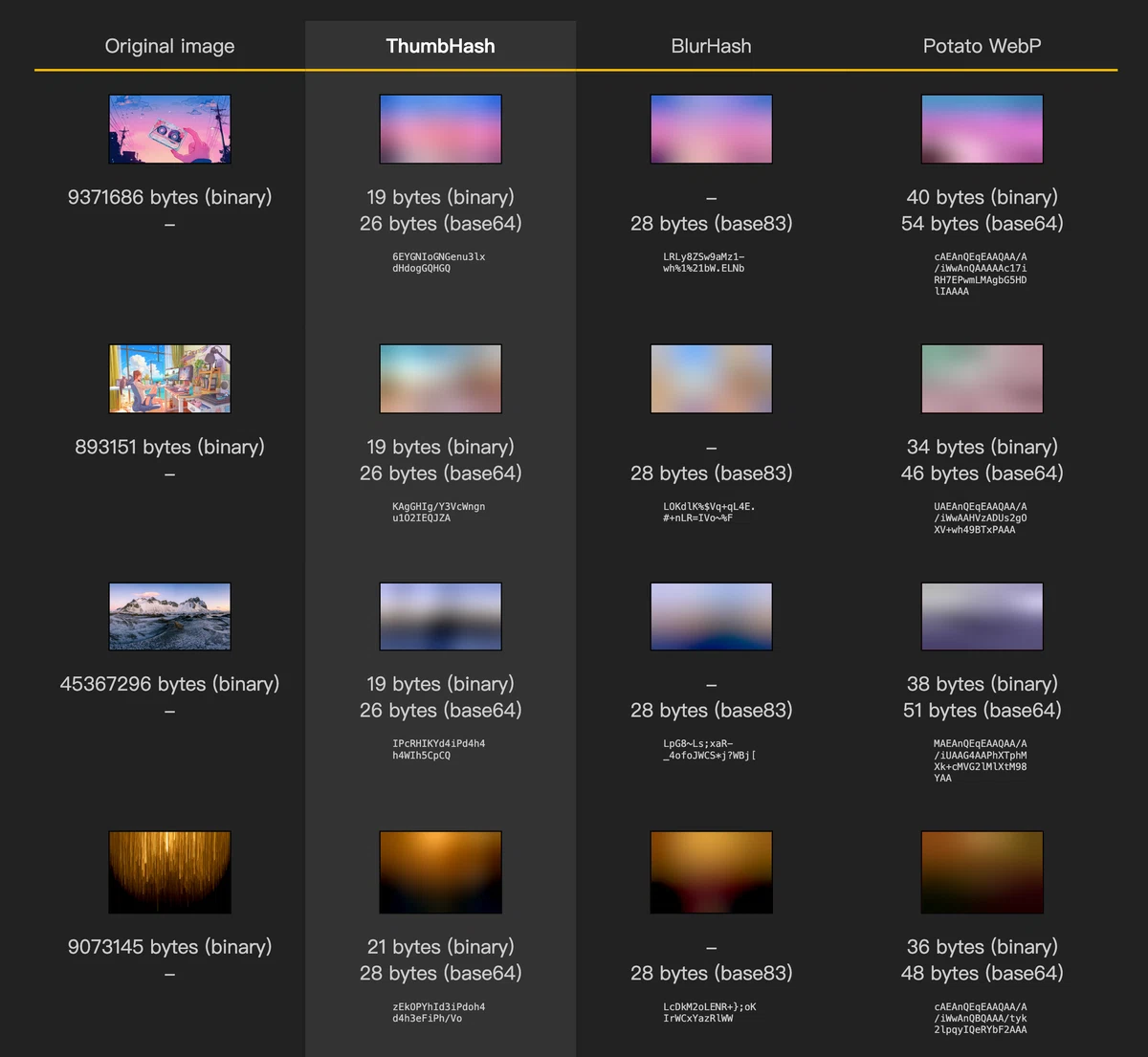 BlurHash example: the original image on the left and the blurred placeholder generated from its BlurHash on the right
How to use it
How it works
- Append the corresponding parameter to the image URL:
- BlurHash:
fmt=blurhash - ThumbHash:
fmt=thumbhash
- BlurHash:
- Store the returned
placeholder hashdirectly in your database. - When the client requests data, include the
placeholder hashdirectly in the API response (for example, JSON). - The client decodes the blurred image from the
placeholder hashin the corresponding response field and fills the image container with it (for example, an img tag in HTML). This step requires no network access and takes well under a millisecond, so users see the blurred placeholder with no perceptible delay. - Then load the sharp thumbnail or original image remotely from its URL.
Combine with the crop and resize parameters to get a blur hash for a specific part of the original image.