
Output quality
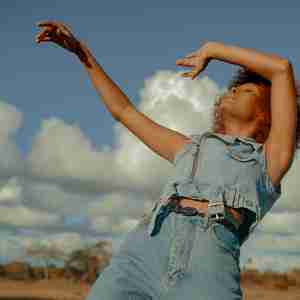
In the examples below, the original image is: https://demo.bitiful.com/girl.jpeg
Parameters
This parameter applies only when the output is a
JPEG still image / WebP still or animated image / AVIF still or animated image / GIF animated image (fmt=jpg / fmt=webp / fmt=avif)Parameter overview
| Parameter | Meaning | Details |
|---|---|---|
q | Sets the output quality of the image, as a percentage | - Sets the absolute quality of the image, compressing the original to q% quality - Default: 88 |
Usage notes
- q: If the original image's quality is lower than the specified value, the image is recompressed at the original quality. For example, if the original quality is 95% and you add q=90, the result has 90% quality.
Comparison
Quality 90%: https://demo.bitiful.com/girl.jpeg?rect=0,0,1000,1000&w=300& q=90

Quality 20%: https://demo.bitiful.com/girl.jpeg?rect=0,0,1000,1000&w=300& q=20