

Image format conversion
Parameters
| Parameter | Meaning | Details |
|---|---|---|
fmt | Output format | If omitted, the source format is usually kept; HEIC, camera RAW, and similar formats are output as JPEG. Alias: fm |
For the input formats CoreIX recognizes, see Supported formats.
Output formats
Image formats
| fmt value | Format | Characteristics | Transparency | Animation |
|---|---|---|---|---|
jpg / jpeg | JPEG | Best compatibility; ideal for photos | – | – |
png | PNG | Lossless; larger files | ✓ | ✓ |
tpng | PNG (quantized) | Color-reduced compression; files are noticeably smaller than standard PNG | ✓ | – |
webp | WebP | Good balance of quality and file size; widely supported by modern browsers | ✓ | ✓ |
avif | AVIF | High compression ratio; supports HDR | ✓ | ✓ |
jxl | JPEG XL | High compression ratio; supports HDR and high bit depth | ✓ | – |
heic / heif | HEIC | Common in the Apple ecosystem; supports HDR | ✓ | – |
gif | GIF | The most widely compatible animated format; up to 256 colors | ✓ | ✓ |
tiff | TIFF | For professional use | ✓ | – |
bmp | BMP | Uncompressed bitmap | – | – |
Auto and keep
| fmt value | Behavior |
|---|---|
auto | Chosen automatically based on the browser: tries JPEG XL, AVIF, and WebP in that order, and falls back to the source format if none is supported |
keep | Keeps the source format. For SVG sources, unsafe code is filtered out automatically |
fmt=auto determines which formats the browser supports from the request's Accept header, and the response includes Vary: Accept. Animated images are never output as JPEG XL; AVIF or WebP is chosen instead. You can also write auto=format.
If you explicitly specify fmt=avif or fmt=webp and the browser doesn't support it, the output also falls back automatically: AVIF falls back to WebP, and WebP falls back to the default output for the source format.
Information output
The following values return text or JSON instead of an image:
For palettes, perceptual hashes, faces, labels, and other analysis output, see Image analysis.
Demo
Original image:

Convert to WebP: https://demo.bitiful.com/girl.jpeg?rect=0,0,1000,1000&w=300 &fmt=webp

Convert to PNG (lossless): https://demo.bitiful.com/girl.jpeg?rect=0,0,1000,1000&w=300 &fmt=png
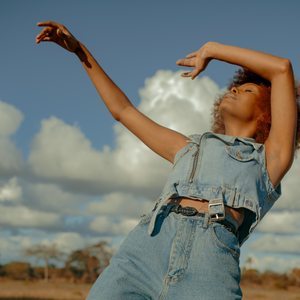
Convert to AVIF (high compression): https://demo.bitiful.com/girl.jpeg?rect=0,0,1000,1000&w=300 &fmt=avif

Choosing a format
| Scenario | Recommendation |
|---|---|
| Web images where you want the smallest file size automatically | fmt=auto |
| Photos that need the broadest compatibility | jpg |
| Transparency or lossless output | png; use tpng or webp if file size matters |
| Maximum compression | avif |
| HDR content | jpg (compatible with SDR devices) or avif |
| Animated images | webp or avif; use gif for the broadest compatibility |
Tips
- Use the
q(quality) parameter to further control file size. The default quality is 88. - Icons, screenshots, line art, and other images with 256 colors or fewer are automatically encoded with a lossless palette when output as PNG or WebP, producing smaller files with no loss of fidelity.