

Text watermarks
All examples below use this source image: https://demo.bitiful.com/bridge.jpeg
Text watermarks apply only to static images. Animated images (GIF, animated WebP, APNG, and so on) are returned as-is, without a watermark.
Parameters
Text and font
| Parameter | Description | Default | Values |
|---|---|---|---|
txt | Watermark text. If empty, no watermark is added. URL-encoding is recommended. %0A inserts a line break; emoji are supported | Empty | Up to 256 characters |
txt-font | Font. Separate multiple fonts with commas; they are matched in order. Names are case-insensitive, and spaces and hyphens can be omitted | NotoSansSC | Inter, NotoSansSC, NotoSansTC, SmileySans, and more |
txt-lang | Regional glyph variant for Han characters. If omitted, it is detected automatically: text containing kana is treated as Japanese, text containing Hangul as Korean, and everything else as Simplified Chinese | Auto | zh / zh-TW / zh-HK / ja / ko |
txt-size | Font size. Less than 1: calculated as a ratio of the image's shorter side; 1 or greater: set in pixels | Auto | 0 to 500 |
txt-weight | Font weight, same as CSS font-weight | 400 | 100 to 950 |
txt-line-height | Line height, as a multiplier, same as CSS line-height (px is not supported) | 1.1 | 0 to 100 |
txt-track | Letter spacing, in pixels | 0 | -50 to 200 |
txt-width | Maximum line width; text that exceeds it wraps automatically. CJK text can break between any two characters; Latin text breaks between words | No wrapping | Pixels, or a percentage (of the image width) |
txt-align | Alignment for multi-line text | left | left / center / right |
Color and effects
| Parameter | Description | Default | Values |
|---|---|---|---|
txt-color | Text color. Separate multiple colors with commas to create a gradient, whose direction is set by txt-color-deg | FFF | 3-, 4-, 6-, or 8-digit hex (in 4- and 8-digit values, the last part is opacity), or a CSS color name |
txt-color-deg | Gradient angle; 90 means left to right | 90 | 0 to 360 |
txt-alpha | Opacity: 0 is fully transparent, 1 is fully opaque. If omitted, the value of mark-alpha is used | 1 | 0 to 1 |
txt-shad | Shadow blur radius, in pixels; no shadow if omitted. Shadows are turned off automatically when txt-color is a gradient | No shadow | 0 to 50 |
txt-shad-pos | Shadow offset, in pixels | – | 0 to 100 |
txt-shad-color | Shadow color; solid colors only | 666 | Same as txt-color |
txt-line | Outline width, in pixels | 0 | 0 to 50 |
txt-line-color | Outline color | 000 | Hex (in 4- and 8-digit values, the first part is opacity) |
txt-bg | Background box color. The box covers the text area plus txt-pad | No background box | Hex (in 4- and 8-digit values, the first part is opacity; e.g. 8000 is 50% black) |
txt-radius | Background box corner radius; requires txt-bg. 50% produces a pill shape | 0 | Pixels from 0 to 9999, or a percentage (of the box's shorter side) |
txt-pad | Padding around the text, in pixels; with a background box, this is the box's inner padding | 0 | 0 to 9999 |
txt-blend | Blend mode | normal | normal / multiply / screen / overlay / darken / lighten / soft-light / hard-light / difference / add / subtract |
mark-hdr-rate | HDR brightness boost (shared with image watermarks). Applies only to HDR output with a gain map. 0 means no boost, 1 means maximum brightness | 0.5 | 0 to 1, or 0% to 100% |
Position and size
| Parameter | Description | Default | Values |
|---|---|---|---|
txt-pos | Watermark position, in the form x,y. See "Position syntax" below | 0.95,0.93 | – |
txt-pct | Maximum size ratio. If the watermark is larger than the image width/height × this value, it is scaled down proportionally; a value greater than 1 lets the watermark extend beyond the image. Use x,y to constrain width and height separately | 1 | Greater than 0, up to 5 |
txt-rot | Rotation angle, clockwise. The background box, outline, and shadow rotate together with the text | 0 | -360 to 360 |
txt-tile | Tiling. Set to 1 to tile the watermark across the entire image, with alternate rows offset | Off | 1 |
txt-tile-gap | Tile spacing, in the form horizontal,vertical; percentages are relative to the watermark's own width and height | 50% | Pixels or percentage |
txt-tile-rot | Tile tilt angle | 0 | -90 to 90 |
txt-if-min-widthtxt-if-min-height | Size threshold. No watermark is added if the image width or height is below this value, so thumbnails aren't covered by the watermark | No limit | Pixels |
Position syntax
The x and y values of txt-pos are independent, so you can mix different syntaxes. If you specify only one value, it applies to both directions. Positions are calculated against the processed image (after resizing and cropping).
Ratios (less than 1) support three anchoring modes:
| Syntax | Anchor | Effect |
|---|---|---|
0.5 | Positioned proportionally within the range where the watermark stays fully inside the image: 0 is flush with the left/top edge, and values closer to 1 move it toward the right/bottom edge | The watermark is always fully visible |
*0.5 | The watermark's center is placed at this ratio of the image | Near an edge, up to half of the watermark can extend beyond the image |
**0.5 | The watermark's left/top edge is placed at this ratio of the image | Near the right/bottom edge, the watermark can move entirely outside the image |
Absolute values (1 or greater): the pixel offset of the watermark's top-left corner from the image's top-left corner.
We recommend setting
txt-size and txt-pos to ratios less than 1. Source images vary in size and aspect ratio (especially after resizing and cropping with w and h), and ratios keep the watermark size and position consistent across images.Examples
Demo 1: Add the text watermark Bitiful, with all other parameters at their defaults

Demo 2: Place the watermark at the bottom center, extending past the edge, with a font size of about 55% of the shorter side and 3% opacity
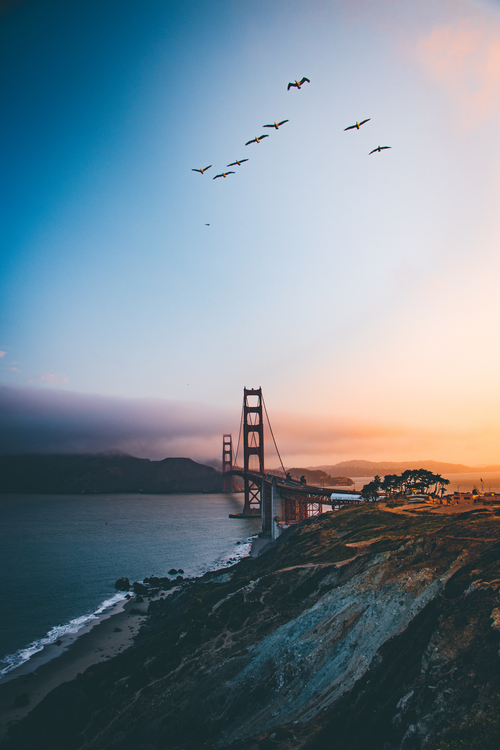
Demo 3: Shrink the watermark, move it to the center of the image, and apply a three-color left-to-right gradient
To make the watermark easier to see, this example also blurs the source image with blur=50.
